- Image by Tom Raftery via Flickr
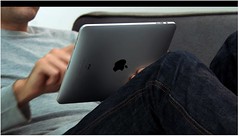
I have been using my iPad ever since it arrived in my office on Monday. My expectations were fairly high as I read through the reviews from the weekend before. On the whole, I think Apple has achieved what they set out to do. The iPad delivers on being a lightweight, long battery life, always on, work-and-play device. It is at it’s best online. The iPad is inherently a net device. When offline, most of the apps except for games are hobbled. (Warning: I love my gadgets.)
So here are a few of my observations:
Screen – The LCD is brilliant and beautiful. While I am going to leave scratch tests to PC Magazine labs and others, I will say that I definitely need to travel with a small soft cloth to clean off fingerprints.
Battery – Battery life is great. Yesterday, I turned it on at 8am and was still at 36% at 3pm. After a full day of email, note taking, tweet reading and browsing. I finally had to charge it at 11PM.
Speed – Whoosh >>>> The iPad is downright speedy. Once you have tried it, the iPhone will soon look like a horse and carriage.
Safari browser – I agree with the pundits: This is the killer app and is potentially a game changer. Most web sites look amazing. Of course, I had to check out two of my own: Nature.com and ScientificAmerican.com. They look really sharp and immediately useful. It makes me rethink the whole concept of custom content apps on this device. Unless you are going to add real value, I recommend just cleaning up your website and make it simply work better. If you want some good examples, try the free apps from BBC News, USA Today, and NPR.
Unfortunately, I can’t seem to get bookmarklets to work in the iPad’s Safari, so useful things like Sidewiki and Connotea will need to be replaced or made more iPad friendly.
Productivity – Nice slick changes to Calendar and Mail. Love the PDF and PPT attachment previewer. However, I will be on the lookout for an annotation app. Now that I can easily view attachments, I want to mark them up and send them back!
I wish there were arrow keys on the virtual keyboard for Notes and other text editors. It would make the editing process so much better. Cut, copy, and paste is still harder than it needs to be. This whole piece was written on the iPad using Notes, and it could have been a bit easier. There is a hidden “undo” key that is uncovered by hitting the number key and “redo” appears when you click numbers then symbols. I cannot figure out how to control what gets autotyped or autocorrected. Also, Notes will sometimes turn on the caps key without me noticing. Perhaps my hands were hovering too close to the keyboard?
The iPad is a great device for answering emails as long as you have a place to prop it up. I did not buy the Apple foam cover. So far, I have been successful with using almost anything at hand to prop it up: book, closed Macbook, Blackberry, or iPhone in their sleeves. In landscape mode, the keyboard is a very nice size. I can easily type with two hands and multiple fingers. I am disappointed that Mail can only show 200 messages though. Perhaps I should just clean up my Inbox.
So I broke down, spent the $10 and bought Keynote. I have not yet done an in-depth analysis. It can read in PPT files but does not support Windows TrueType fonts (Wingdings, etc.) so some corruption occurs. Keynote can only export to Keynote or PDF formats. More testing to be done here.
Multi-tasking – It’s a shame that the iPad can’t multitask between non-Apple apps. In truth, if they just let me stream Pandora music in the background while using any other app, I would be happy. Perhaps the multitasking for the new iPhone OS 4.0 announced yesterday will help down the road. It would also be useful to be able to flip between two or three apps. Currently, you have to go back to the home screen each time you want to switch.
Adobe Flash support – It’s a shame Apple won’t support Flash. Without it, all Flash-enabled web site developers will have to do quite a bit of work to make their flash features work properly within the iPad’s Safari.
Overall – Always be sure to try out your iPad apps in landscape mode. Many apps have different functionality that magically appears.
So am I happy? Yes for now. I am glad my company has invested in a few of them. However at the moment it is probably about $200 too expensive. Once this wireless iPad can sell for $299 then we may really see them everywhere!
Please send me your own discoveries!
![Reblog this post [with Zemanta]](http://img.zemanta.com/reblog_e.png?x-id=0e46c967-5ee1-47fa-8608-e1a12e3c2434)

Discussion
12 Thoughts on "Four Days with the iPad"

This is the first fully credible review of the iPad I have read thus far (out of dozens). No religious ecstasy, no cynicism. Just the facts and a narration of the experience of a well-informed user. Thank you.

A few things to add:
450,000 iPads sold in less than a week, with availability limited to just one country, and with the more advanced 3G models not yet available. 600,000 iBooks downloaded, 3.5 million apps downloaded. Not a bad start at all.
As far as the multitasking that’s been added to the iPhone’s OS 4, Apple did announce that the same feature set and OS will be coming to the iPad, but not until later in the year:
The iPad won’t get the 4.0 upgrade until Fall of this year, a few months after the iPhone does. So, you’ll be able to multitask on your dinky little iPhone before you’ll be even be able to listen to Pandora and check your email at the same time on your giant iPad.
An alternate take on the “killer app” (and an answer to Kent’ question of “what is it for?”) comes from John Gruber:
One thing that’s making it hard for some people to grasp the purpose of the iPad is that no one has an answer to what precisely it is for. This was not so for the iPhone. The answer to the question of what the original 2007 iPhone was meant for was right there at the bottom of the iPhone home screen, in the “dock”: phone, email, web, music and video. The other apps were icing on the cake. The four apps in the dock were what Apple designed the iPhone to do.
The iPad also has a “dock” on the home screen, and the default apps in that dock are clearly important: Safari, Mail, Photos, iPod (which, on the iPad, is only for audio). But some are treating the iPad as, fundamentally, an e-reader. Others as a gaming device. Others as a movie player. None of those things are represented in the iPad’s default dock apps.
The truth is that the App Store is the killer app. The iPad is meant for anything that can be represented on a 10-inch color touchscreen. Back in January when we were playing the “What’s Apple going to name the tablet?” game, my favorite, by far, was “Canvas”. I’m not saying here that Canvas would have been a better name than iPad, but the word conveys perfectly what the iPad is.
And as a final point, I’m betting that there’s some good money to be made from selling a folding, portable bluetooth keyboard for the iPad (Gruber’s article above does go into detail about support for hardware keyboards, which would probably solve some of your complaints….)

Howard,
I completely agree. I used mine to take notes at a meeting yesterday (I bought Pages) and it worked really well – even without the keyboard dock. When I came home the keyboard dock had arrived. It works really well too. It’s a little interesting trying to get used to a touch screen and keyboard as opposed to a mouse and keyboard – but it’s all good.
My “use case” is not lugging around my MacBook when I don’t have to. The real test will be a day trip to NY this week.
I am having trouble getting 2 of my email accounts set up though. One was easier than the iPhone to set up but the other two (that appear to have the same setting on my iPhone and iPad) won’t work.
That’s this afternoon’s task.
Thanks for a great summary.
Ann

“It’s a shame that the iPad can’t multitask between non-Apple apps. ”
There’s an app called split screen that looks like it might help you out with Pandora.
Two weeks of traveling with the iPad, an interesting review of using it as a laptop replacement on the road.

I have my German iPad now for one week. I’m very mpressed, just like I expected it. I use it for email and web (email reading goes faster than ever) and for presentations. I have the VGA connector and it works great. I use Keynote and the app 2Screens which includes some kind of filemanager. I also have Wyse PocketCloud, which helps me connect to my virtual desktop at work and also uses the VGA connector. I’m ready for presentations now.
Just a little bit slow in typing, I need some training with uppercase and German Umlaut….